


PHIPA-konforme eSignaturen für das Gesundheitswesen in Ontario
Schützen Sie personenbezogene Gesundheitsinformationen in jedem Signatur-Workflow
Holen Sie rechtsverbindliche Patienteneinwilligungen, Genehmigungen und Formulare aus dem Gesundheitswesen mit PHIPA-orientierten, sicheren eSignatur-Workflows ein. Verfügbar im Enterprise-Tarif mit Advanced Security Controls und einer unterzeichneten PHIPA-Agentenvereinbarung.
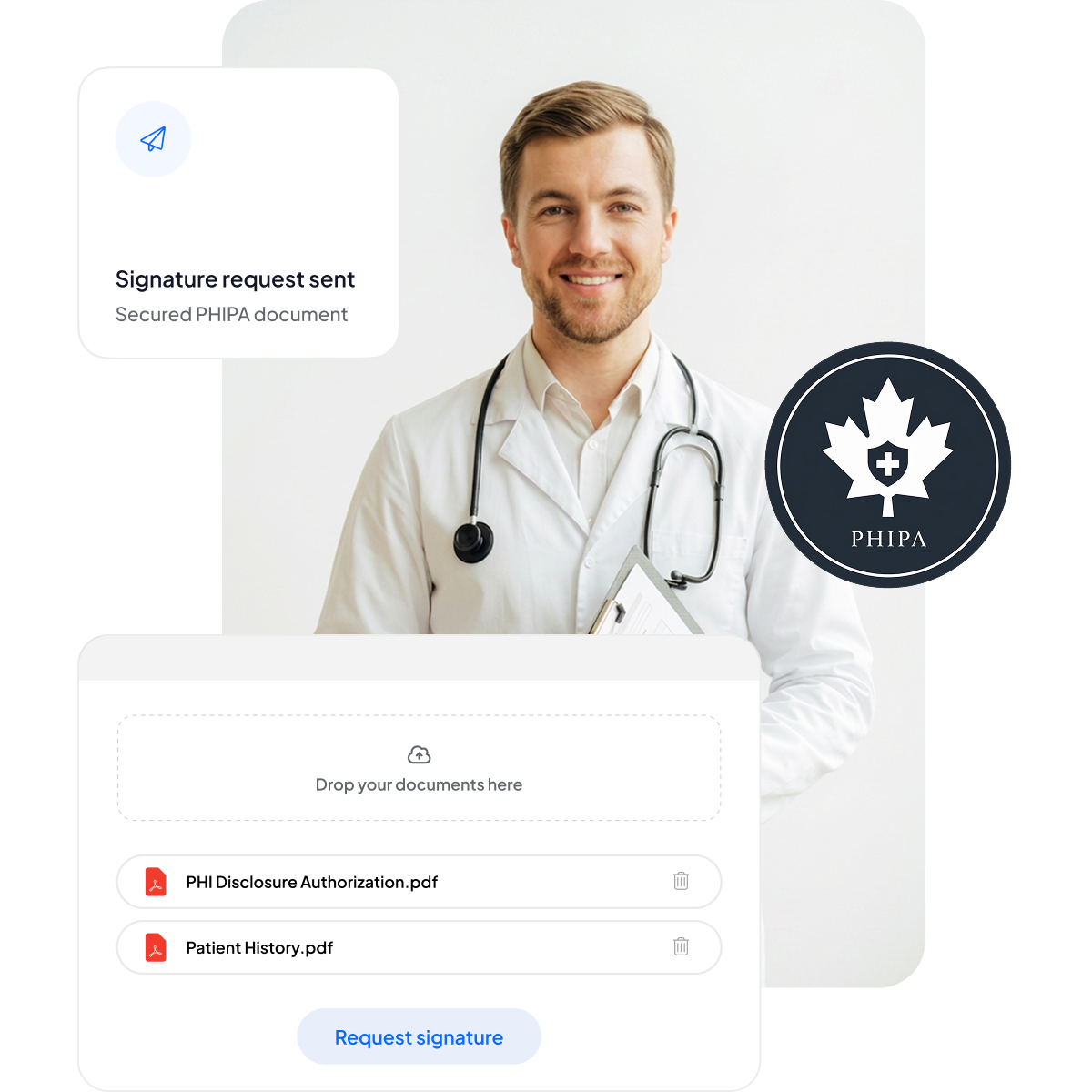






Patienteneinwilligungen und Formulare im Gesundheitswesen modernisieren
Bieten Sie Patientinnen, Patienten und Mitarbeitenden ein sicheres, mobilfreundliches Signaturerlebnis – ohne zusätzlichen Papierkram und ohne die Versorgung zu verlangsamen.
Keine Klemmbretter: Weniger Papierkram und kürzere Wartezeiten.
Mobilfreundliches Unterschreiben: Praktisch für Patienten auf jedem Gerät.
Weniger Fehler: Elektronische Formulare verringern Tippfehler.
Schnellere Abrechnung: Zügig bearbeitet für pünktliche Zahlungen.



PHIPA-Compliance und Sicherheit im Detail
Integrierte PHIPA-orientierte Kontrollen, darunter eine unterzeichnete PHIPA-Agentenvereinbarung in berechtigten Enterprise-Tarifen, unbegrenzte sichere Formularvorlagen, fortschrittliche Hashing-Technologie für manipulationssichere Dokumente, umfassende Audit-Trails für vollständige Transparenz und Optionen zur Datenresidenz in Kanada.

Nur die richtigen Mitarbeitenden greifen auf PHI zu
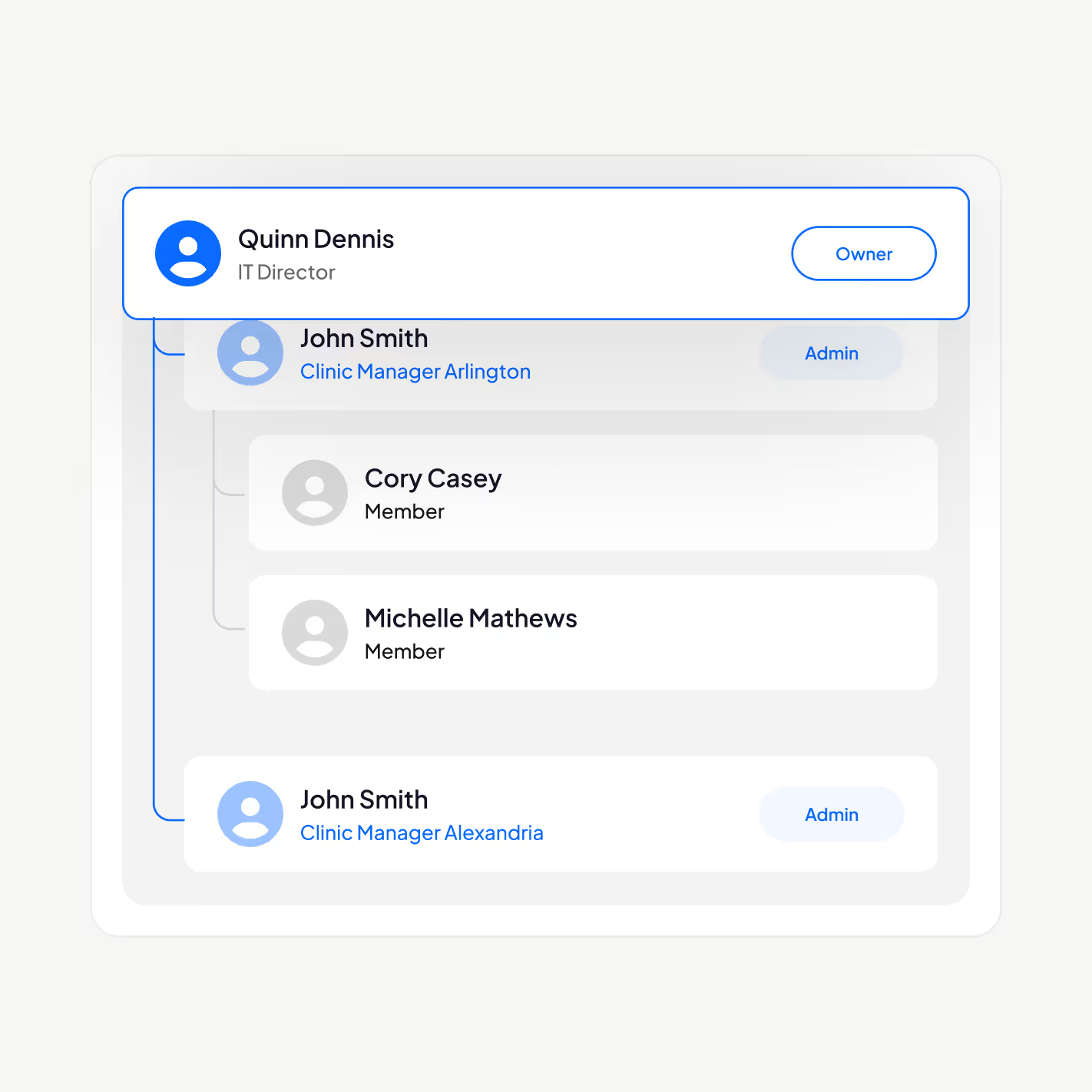
Verwalten Sie Ihr Personal im Gesundheitswesen mit unserer PHIPA-orientierten eSignatur-Plattform: Fügen Sie Nutzer hinzu oder entfernen Sie sie, richten Sie Führungshierarchien ein, erzwingen Sie die Zwei-Faktor-Authentifizierung, aktivieren Sie Single Sign-On (SSO) und beschränken Sie den Zugriff auf personenbezogene Gesundheitsinformationen rollenbasiert auf autorisiertes Personal.
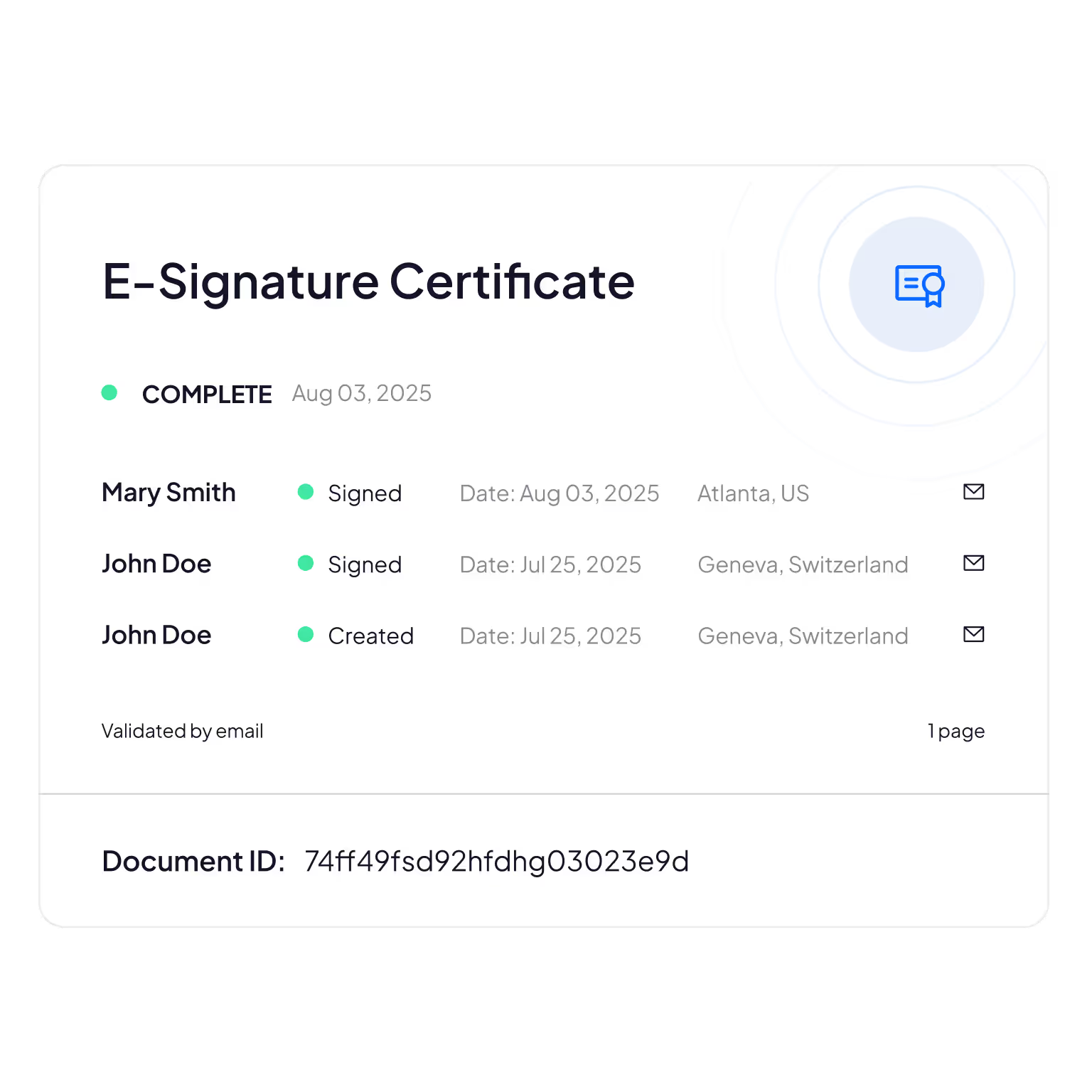
Manipulationssichere Audit-Trails
Umfassende Nachverfolgung, wer Patienteninformationen einsieht, bearbeitet oder darauf zugreift – für Nachvollziehbarkeit und Compliance-Nachweise.
Sign.Plus verwendet kryptografische Verfahren, um die Integrität von Dokumenten zu bestätigen. So stellen Sie sicher, dass Ihre elektronischen Formulare weder verändert noch manipuliert wurden.
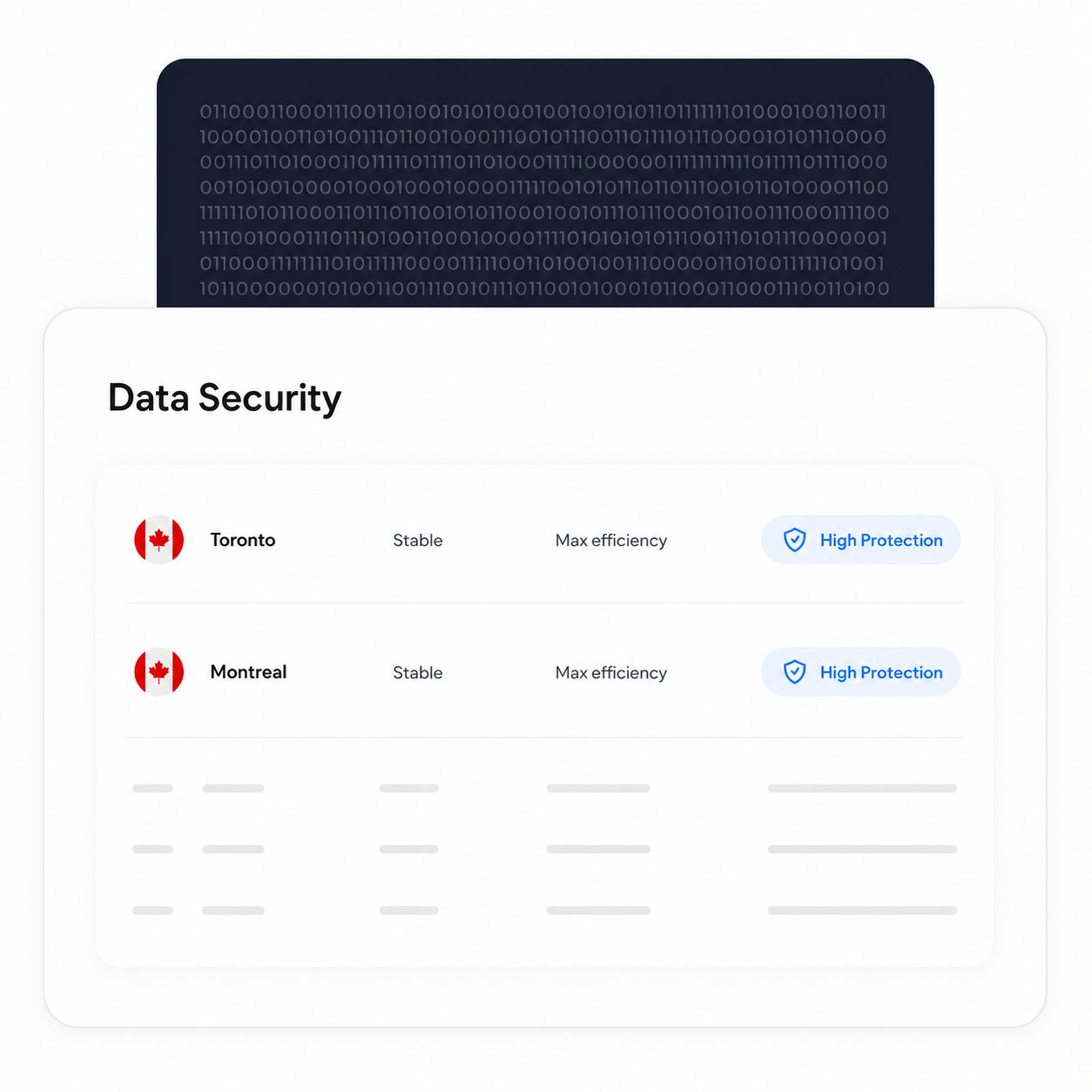
Verarbeitung und Speicherung in Kanada belassen
Berechtigte Enterprise-Kunden können einen kanadischen Standort für die Datenresidenz wählen, einschließlich Toronto. PHIPA verlangt nicht, dass personenbezogene Gesundheitsinformationen in Ontario verbleiben – es handelt sich also um eine Konfigurationsoption, die Organisationen entsprechend ihren eigenen Anforderungen wählen können.
Backup- und Wiederherstellungsprozesse bleiben unabhängig vom gewählten Standort für die Datenresidenz bestehen.
Die Identität jedes Unterzeichners verifizieren
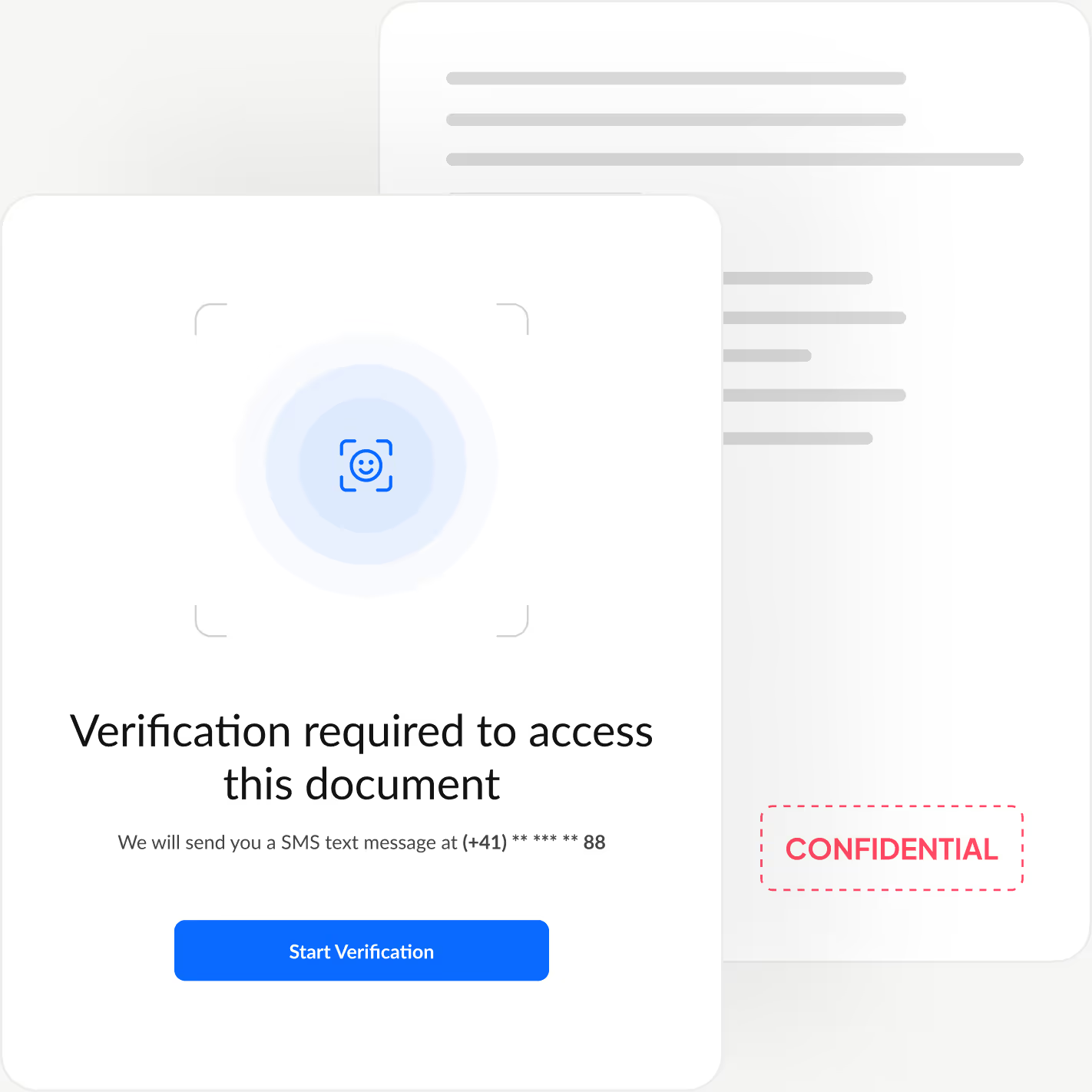
Fügen Sie eine zusätzliche Authentifizierungsebene hinzu, die die Identität jedes Unterzeichners bestätigt, bevor er Ihr Dokument überhaupt einsehen kann. So blockieren Sie unbefugten Zugriff und verhindern betrügerische Genehmigungen.
Sign.Plus bietet Ihnen drei flexible Verifizierungsoptionen: Identitätsprüfung mit Gesichtsabgleich, einen vom Absender festgelegten Passcode oder einen einmaligen SMS-Code. So passen Sie die Sicherheit an jeden Workflow an und halten den Unterzeichnungsvorgang schnell und mühelos.
So aktivieren Sie die PHIPA-Ausrichtung in Sign.Plus
Die PHIPA-Ausrichtung nutzt Advanced Security Controls zusammen mit einer PHIPA-Agentenvereinbarung für berechtigte Enterprise-Konten.
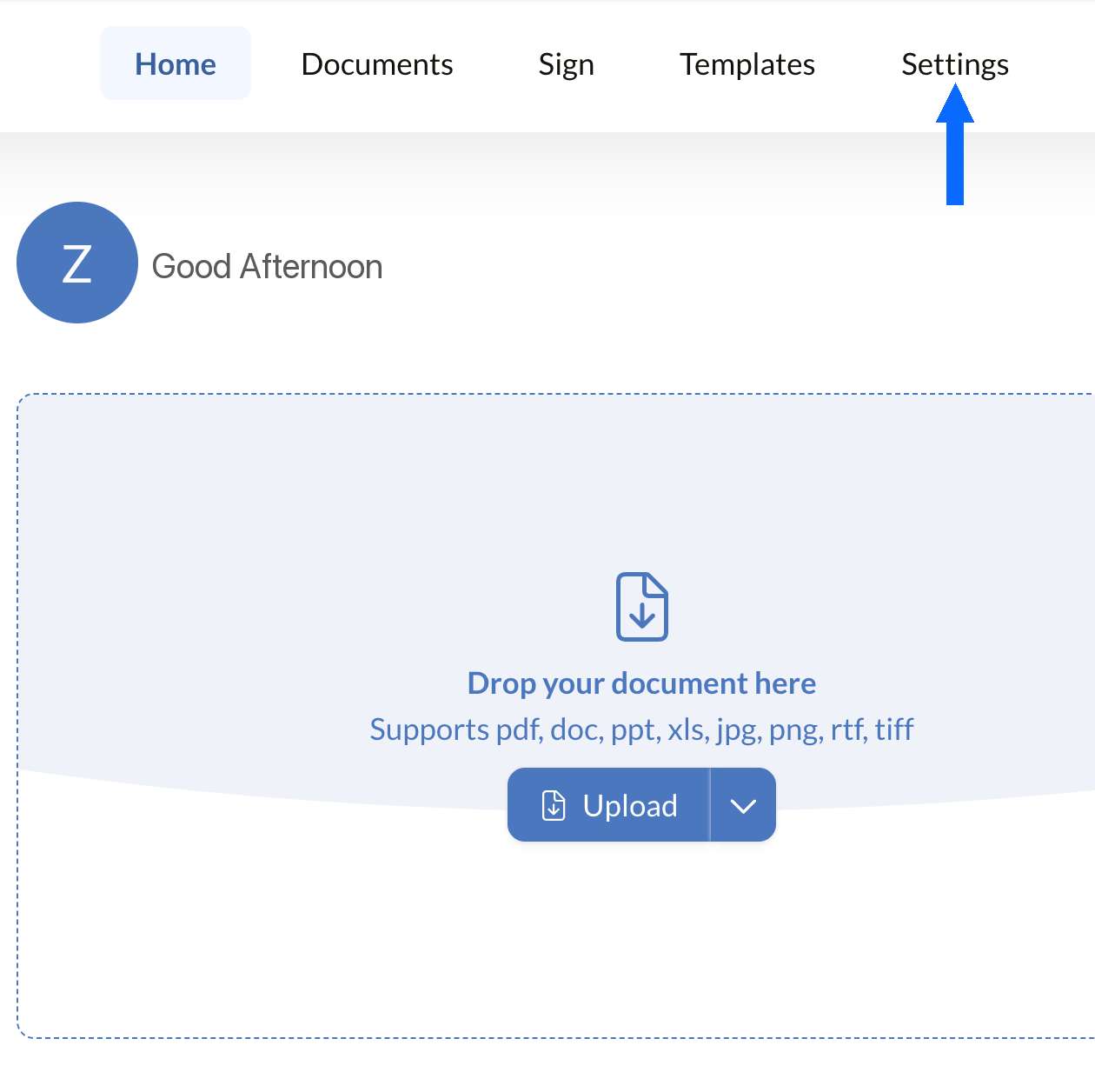
Einstellungen öffnen
Melden Sie sich bei Ihrem Sign.Plus-Dashboard an und öffnen Sie dann die Einstellungen, um die PHIPA-Compliance-Kontrollen Ihrer Organisation zu konfigurieren.
Die PHIPA-Ausrichtung ist nur für berechtigte Enterprise-Konten mit aktivierten Advanced Security Controls verfügbar.
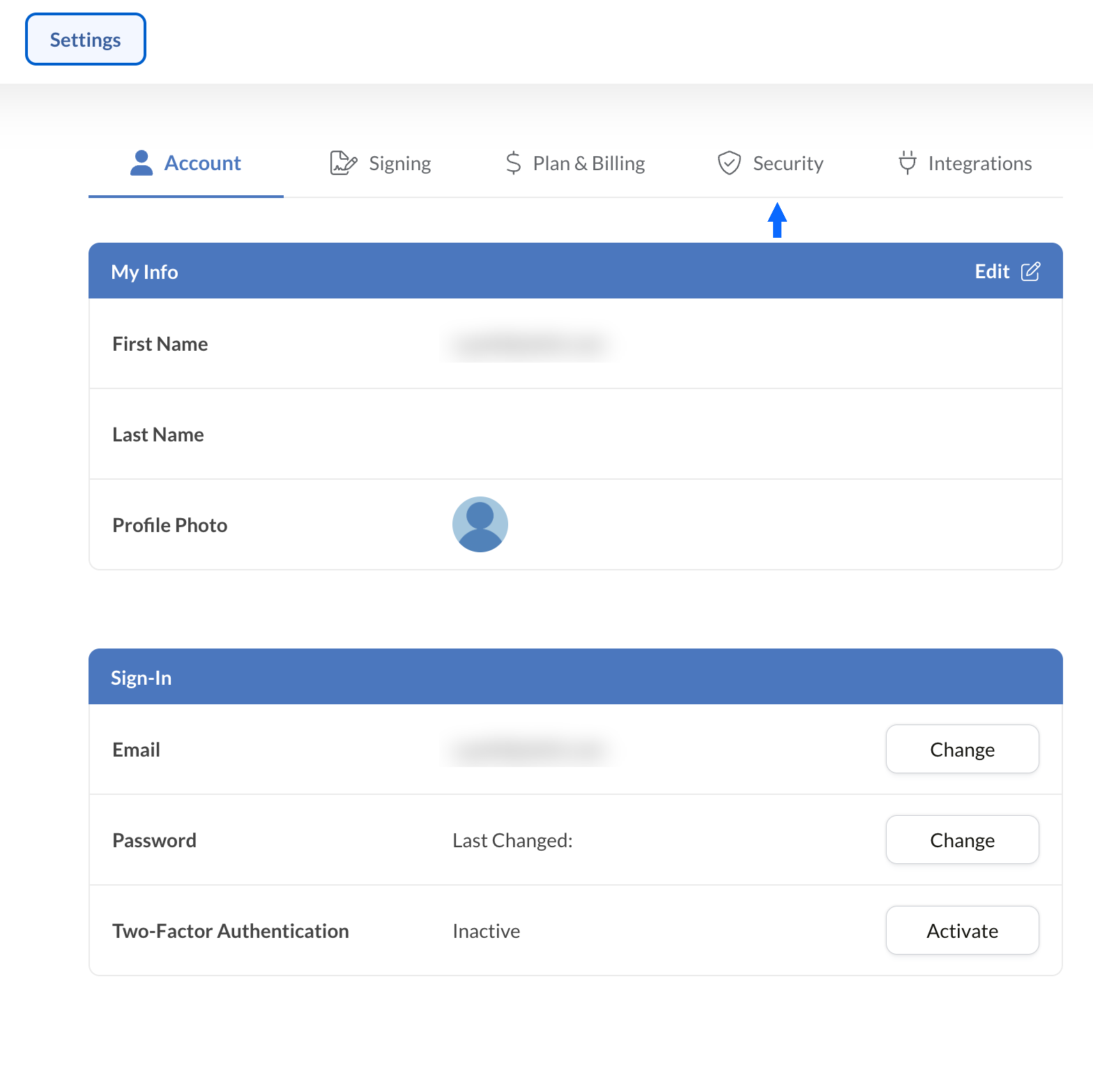
Sicherheit öffnen
Wählen Sie in den Einstellungen die Registerkarte „Sicherheit“, um auf die Compliance-Kontrollen Ihrer Organisation zuzugreifen.
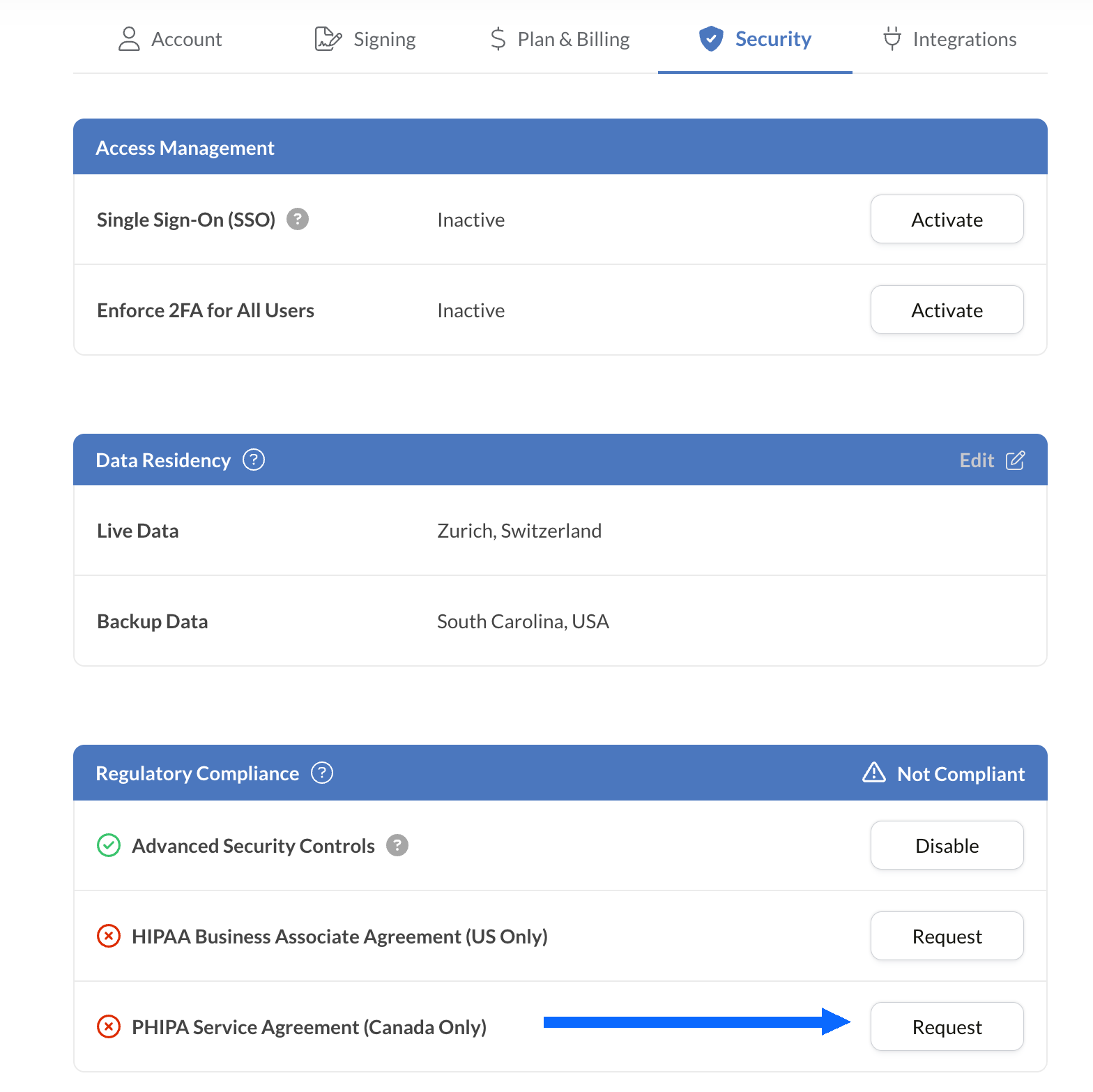
Die PHIPA-Vereinbarung anfordern
Der Bereich „Regulatorische Compliance“ listet alle Compliance-Optionen für das Gesundheitswesen auf, die für Ihr Konto verfügbar sind, einschließlich PHIPA.
Wählen Sie neben „PHIPA-Agentenvereinbarung (nur Kanada)“ die Option „Anfordern“.
Füllen Sie die Vereinbarung aus und reichen Sie sie zur Validierung ein. Nach der Validierung wird der PHIPA-Status im Bereich „Regulatorische Compliance“ angezeigt.
E-Signaturen in Ihre bestehenden Tools einbetten
Sign.Plus bietet außerdem eine robuste API, die speziell für das Gesundheitswesen entwickelt wurde. Integrieren Sie sichere elektronische Signaturfunktionen in Ihre bestehenden Anwendungen im Gesundheitswesen, vereinfachen Sie Workflows und verbessern Sie die Compliance mit minimalem Aufwand.


Anwendungsfälle für PHIPA-eSignaturen im Gesundheitswesen in Ontario

Verwaltung von Patienteneinwilligungen
Einwilligungen und Genehmigungen für Telemedizin
Versicherungsansprüche und Genehmigungen
Behandlungs- und Rezeptgenehmigungen
Richtlinien für Mitarbeitende und Schulungsbestätigungen
Einwilligung in medizinische Eingriffe
FAQ zur PHIPA-eSignatur
Was ist PHIPA?

PHIPA, der Personal Health Information Protection Act, ist das Datenschutzgesetz für Gesundheitsdaten in Ontario. Es regelt, wie personenbezogene Gesundheitsinformationen erhoben, verwendet, offengelegt und geschützt werden.
Ist Sign.Plus PHIPA-konform?
Ja, Sign.Plus unterstützt PHIPA-orientierte Workflows für berechtigte Enterprise-Organisationen, die Advanced Security Controls aktivieren und eine PHIPA-Agentenvereinbarung unterzeichnen.
Wie aktiviere ich die PHIPA-Konformität in Sign.Plus?
Wählen Sie einen Enterprise-Tarif, aktivieren Sie Advanced Security Controls, fordern Sie die PHIPA-Agentenvereinbarung in den Einstellungen unter „Regulatorische Compliance“ an und unterzeichnen Sie sie, und schließen Sie anschließend den Validierungsprozess der Vereinbarung ab. Nach der Validierung wird der PHIPA-Status in Ihrem Konto angezeigt.
Benötige ich für PHIPA eine BAA?
Nein. Ein Business Associate Agreement (BAA) wird für HIPAA verwendet. Für PHIPA unterzeichnen berechtigte Kunden stattdessen eine PHIPA-Agentenvereinbarung, die die Rolle von Sign.Plus als Agent gemäß Abschnitt 17 des PHIPA widerspiegelt.
Bietet Sign.Plus kanadische Datenresidenz an?
Ja. Berechtigte Enterprise-Kunden können für Sign.Plus einen kanadischen Standort für die Datenresidenz wählen, einschließlich Toronto. PHIPA verlangt in der Regel nicht, dass personenbezogene Gesundheitsinformationen in Ontario verbleiben. Organisationen sollten daher die Einstellungen zur Datenresidenz entsprechend ihren eigenen Anforderungen wählen.
Modernisieren Sie den Papierkram im Gesundheitswesen in Ontario mit PHIPA-konformen, sicheren eSignaturen
Enterprise
Individuelle Lösung
Nutzen Sie noch heute PHIPA-konforme elektronische Signaturen
Erstellen Sie ein Enterprise-Konto, aktivieren Sie Advanced Security Controls, fordern Sie Ihre PHIPA-Agentenvereinbarung an und unterzeichnen Sie sie, und verwalten Sie anschließend Signatur-Workflows im Gesundheitswesen sicher.




Confédération Suisse
Confederazione Svizzera
Confederaziun Svizra
Swiss Confederation
Innosuisse – Schweizerische Agentur für Innovationsförderung



