


Firme elettroniche conformi alla PHIPA per la sanità in Ontario
Proteggi le informazioni sanitarie personali in ogni flusso di firma
Raccogli consensi, autorizzazioni e moduli sanitari dei pazienti con valore legale grazie a flussi di firma elettronica sicuri e allineati alla PHIPA. Disponibile con il piano Enterprise, con Advanced Security Controls e un PHIPA Agent Agreement firmato.
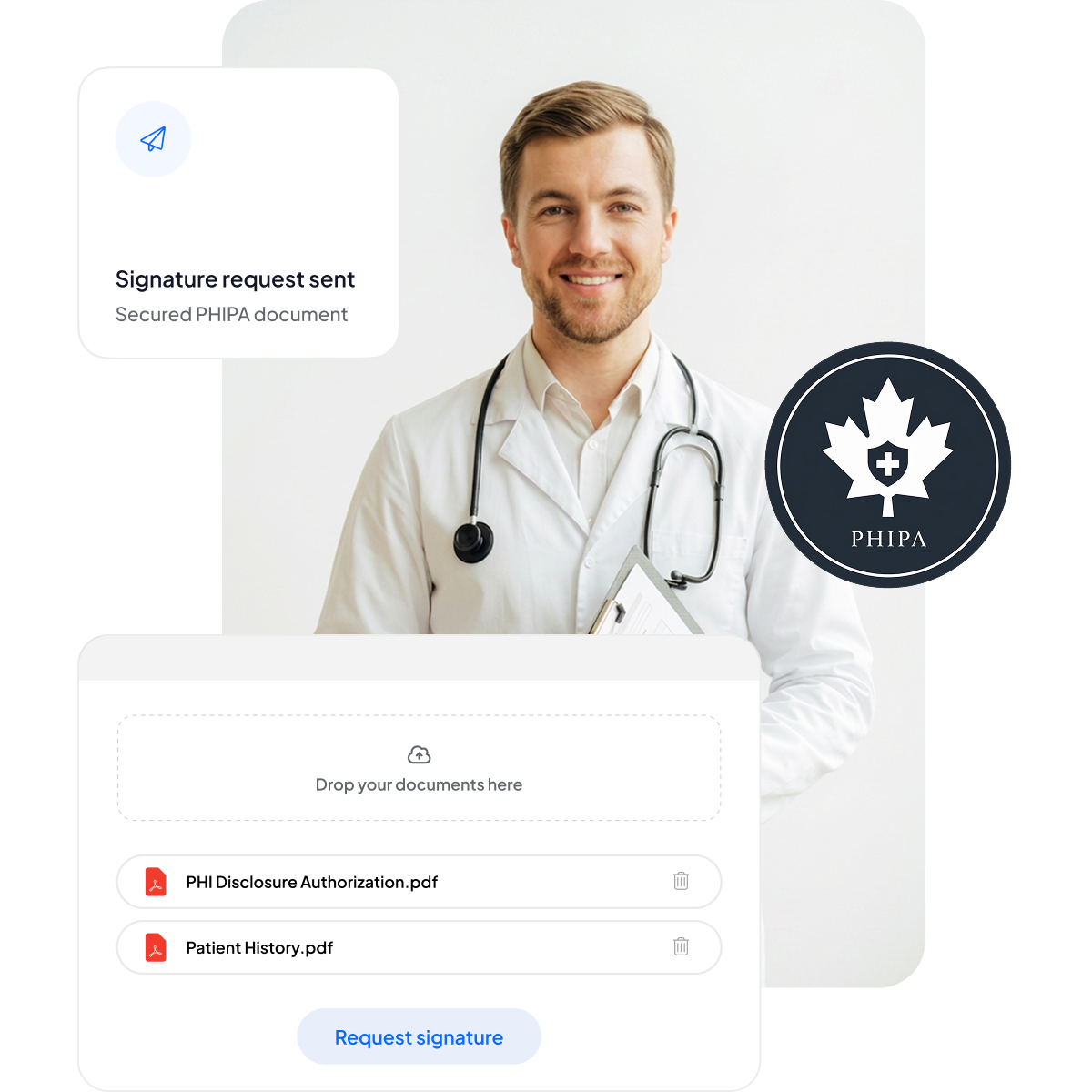






Modernizza il consenso dei pazienti e i moduli sanitari
Offri a pazienti e personale un'esperienza di firma sicura e ottimizzata per dispositivi mobili, senza aggiungere burocrazia né rallentare le cure.
Niente cartelline: meno scartoffie e tempi di attesa ridotti.
Firma ottimizzata per dispositivi mobili: comoda per i pazienti su qualsiasi dispositivo.
Meno errori: i moduli elettronici riducono gli errori di digitazione.
Fatturazione più rapida: elaborazione veloce, per pagamenti puntuali.



Approfondimento su conformità e sicurezza PHIPA
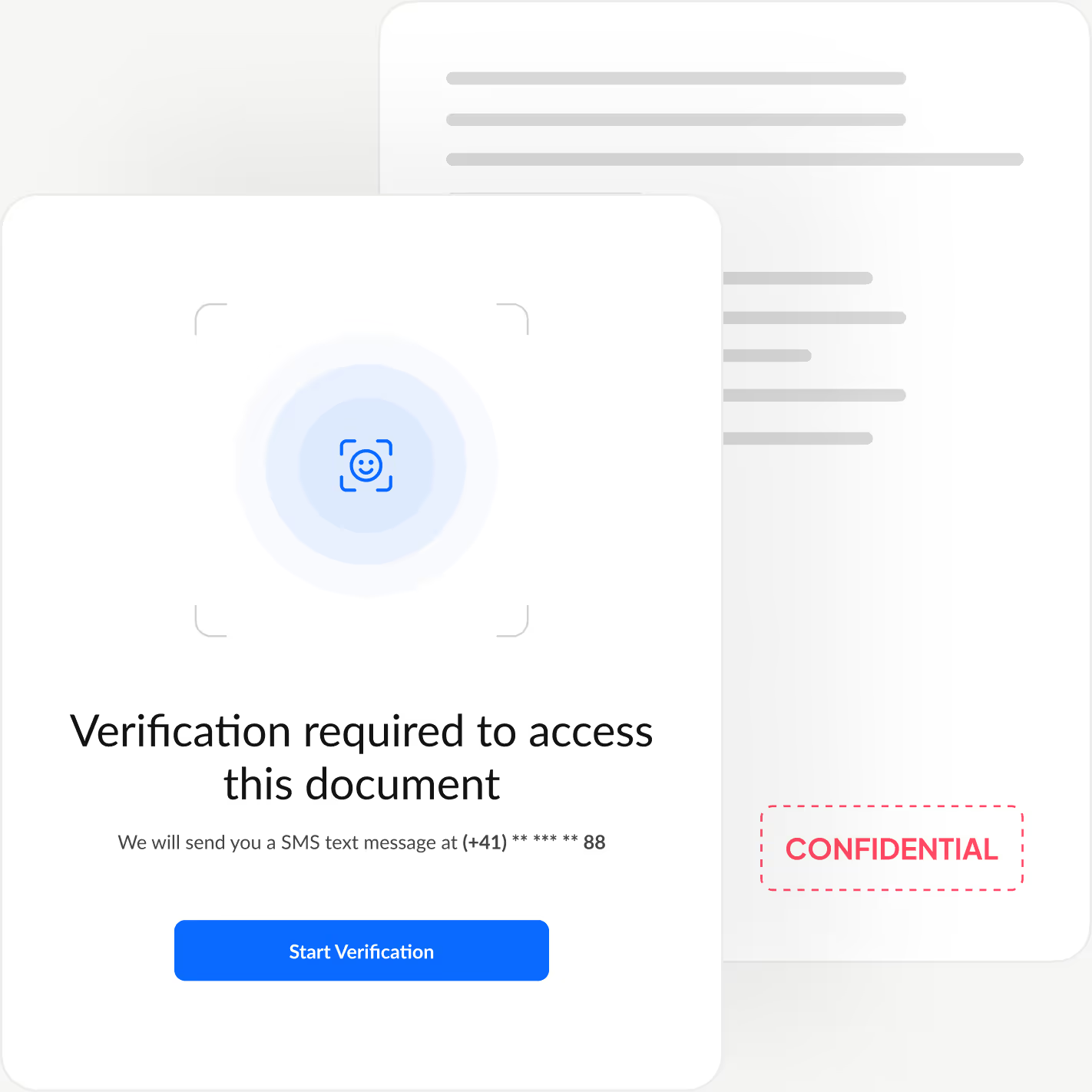
Controlli integrati allineati alla PHIPA, tra cui un PHIPA Agent Agreement firmato sui piani Enterprise idonei, modelli di modulo sicuri illimitati, tecnologia di hashing avanzata che rende rilevabili le alterazioni dei documenti, registri di controllo completi per la massima trasparenza e opzioni di residenza dei dati in Canada.

Solo il personale autorizzato accede ai PHI
Gestisci il personale sanitario con la nostra piattaforma di firma elettronica allineata alla PHIPA: aggiungi o rimuovi utenti, stabilisci gerarchie dirigenziali, applica l'autenticazione a due fattori, abilita il Single Sign-On (SSO) e limita l'accesso alle informazioni sanitarie personali al solo personale autorizzato in base al ruolo.

Registri di controllo a prova di manomissione
Tracciamento completo di chi visualizza, modifica o accede alle informazioni dei pazienti, per garantire responsabilità e verifica della conformità.
Sign.Plus utilizza metodi crittografici per confermare l'integrità dei documenti, assicurando che i tuoi moduli elettronici non siano stati alterati né manomessi.
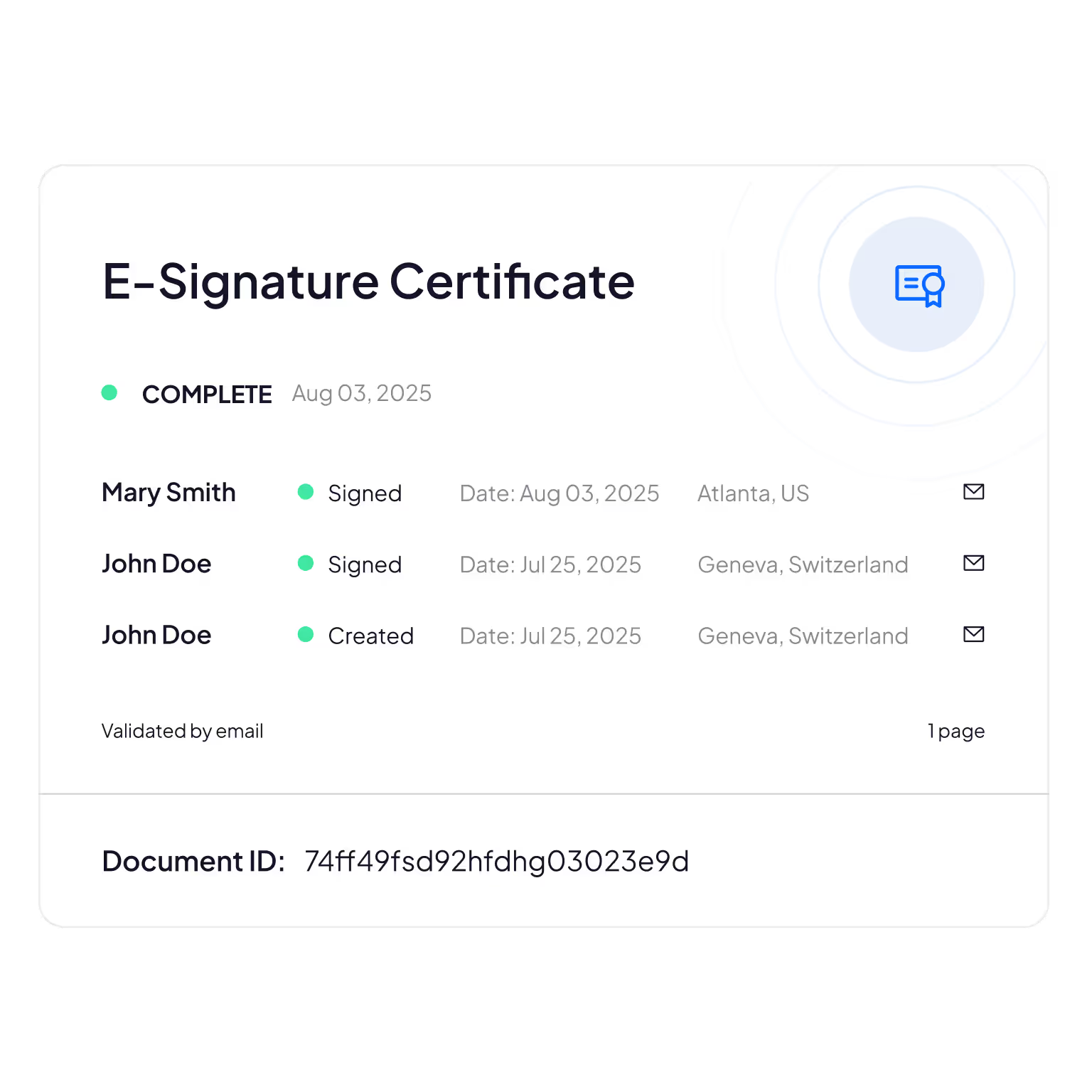
Elaborazione e archiviazione in Canada
I clienti Enterprise idonei possono selezionare una sede di residenza dei dati in Canada, inclusa Toronto. La PHIPA non richiede che le informazioni sanitarie personali rimangano in Ontario, quindi si tratta di una scelta di configurazione che le organizzazioni possono effettuare in base alle proprie esigenze.
I processi di backup e ripristino restano attivi indipendentemente dalla sede di residenza selezionata.
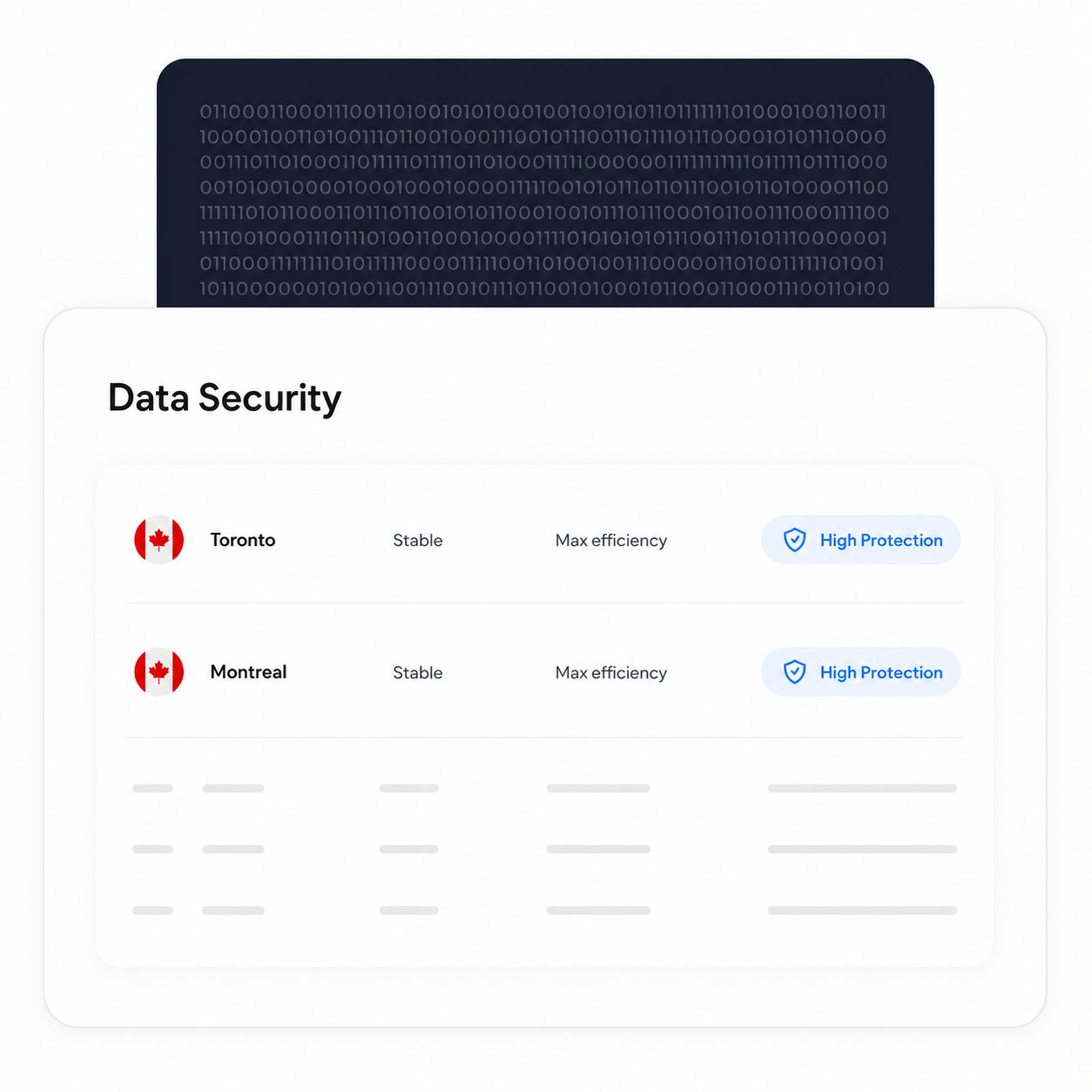
Verifica l'identità di ogni firmatario
Aggiungi un ulteriore livello di autenticazione che conferma l'identità di ogni firmatario prima ancora che visualizzi il documento, bloccando gli accessi non autorizzati e prevenendo approvazioni fraudolente.
Sign.Plus ti offre tre opzioni di verifica flessibili: controllo dell'identità con riconoscimento facciale, codice di accesso definito dal mittente o codice SMS monouso, così da adattare la sicurezza a ogni flusso di lavoro mantenendo la firma rapida e senza sforzo.
Come abilitare l'allineamento alla PHIPA in Sign.Plus
L'allineamento alla PHIPA utilizza Advanced Security Controls insieme a un PHIPA Agent Agreement per gli account Enterprise idonei.
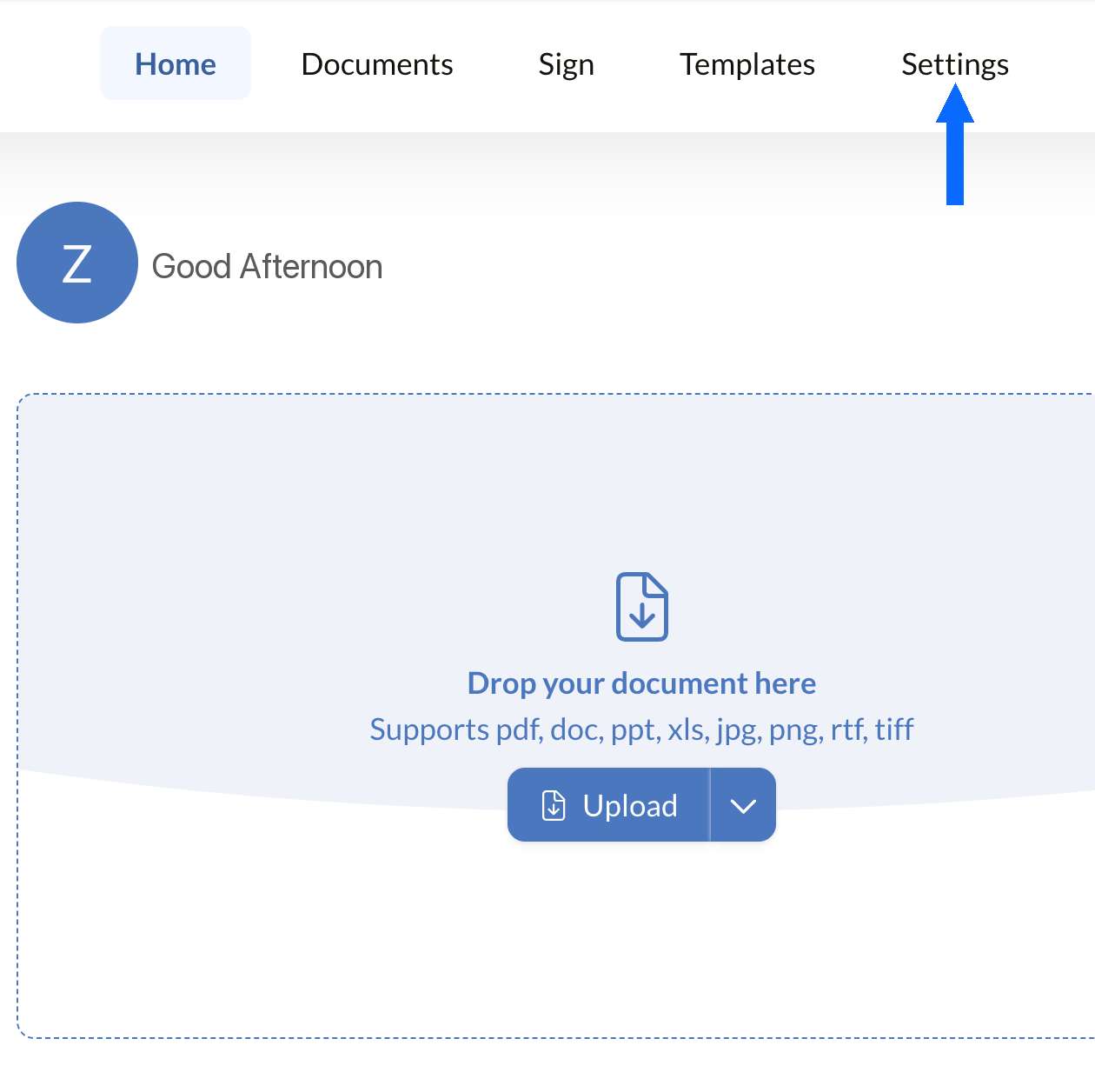
Apri Impostazioni
Accedi alla dashboard di Sign.Plus, quindi apri Impostazioni per iniziare a configurare i controlli di conformità PHIPA della tua organizzazione.
L'allineamento alla PHIPA è disponibile solo per gli account Enterprise idonei con Advanced Security Controls abilitato.
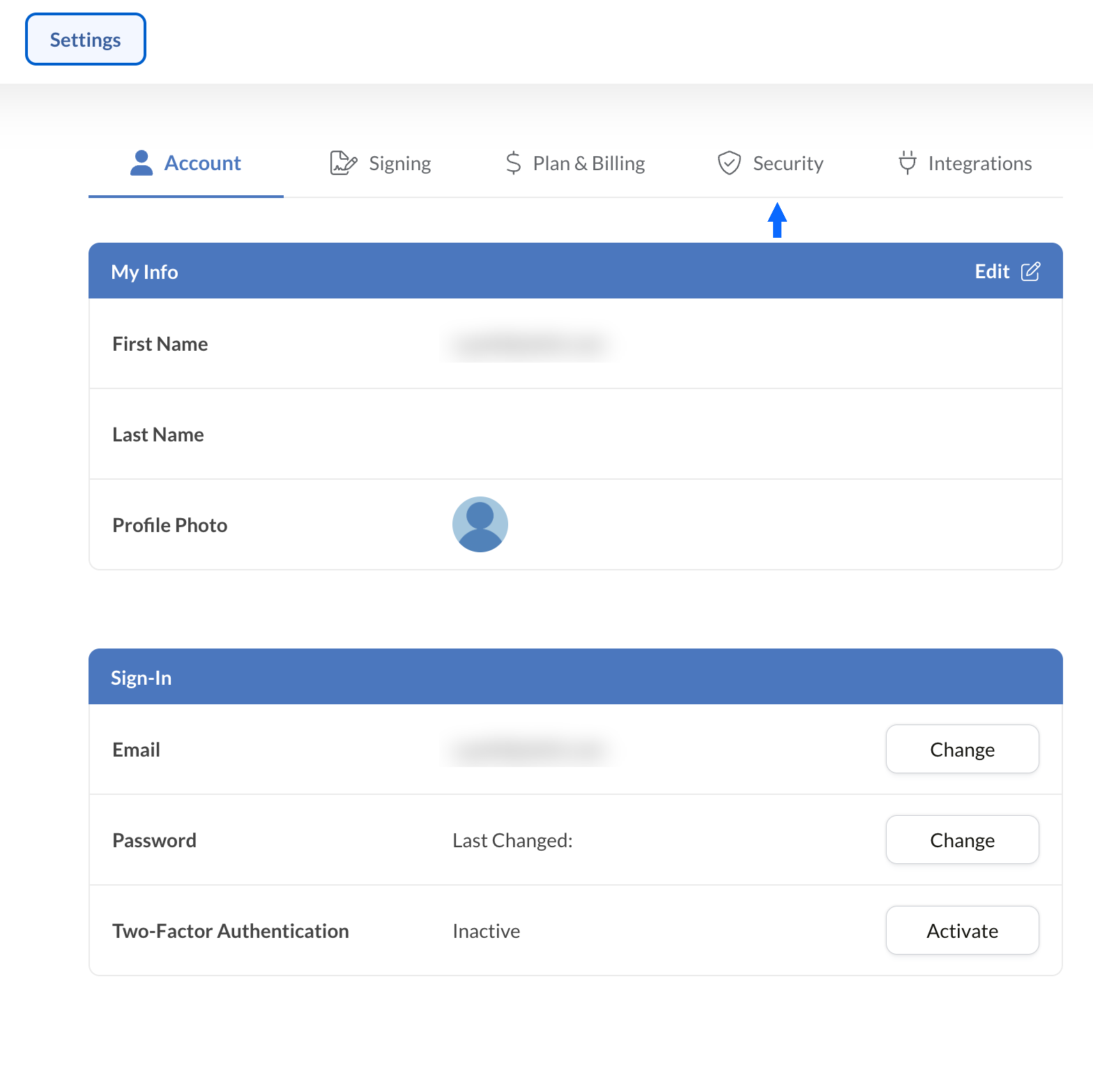
Apri Sicurezza
Da Impostazioni, seleziona la scheda Sicurezza per accedere ai controlli di conformità della tua organizzazione.
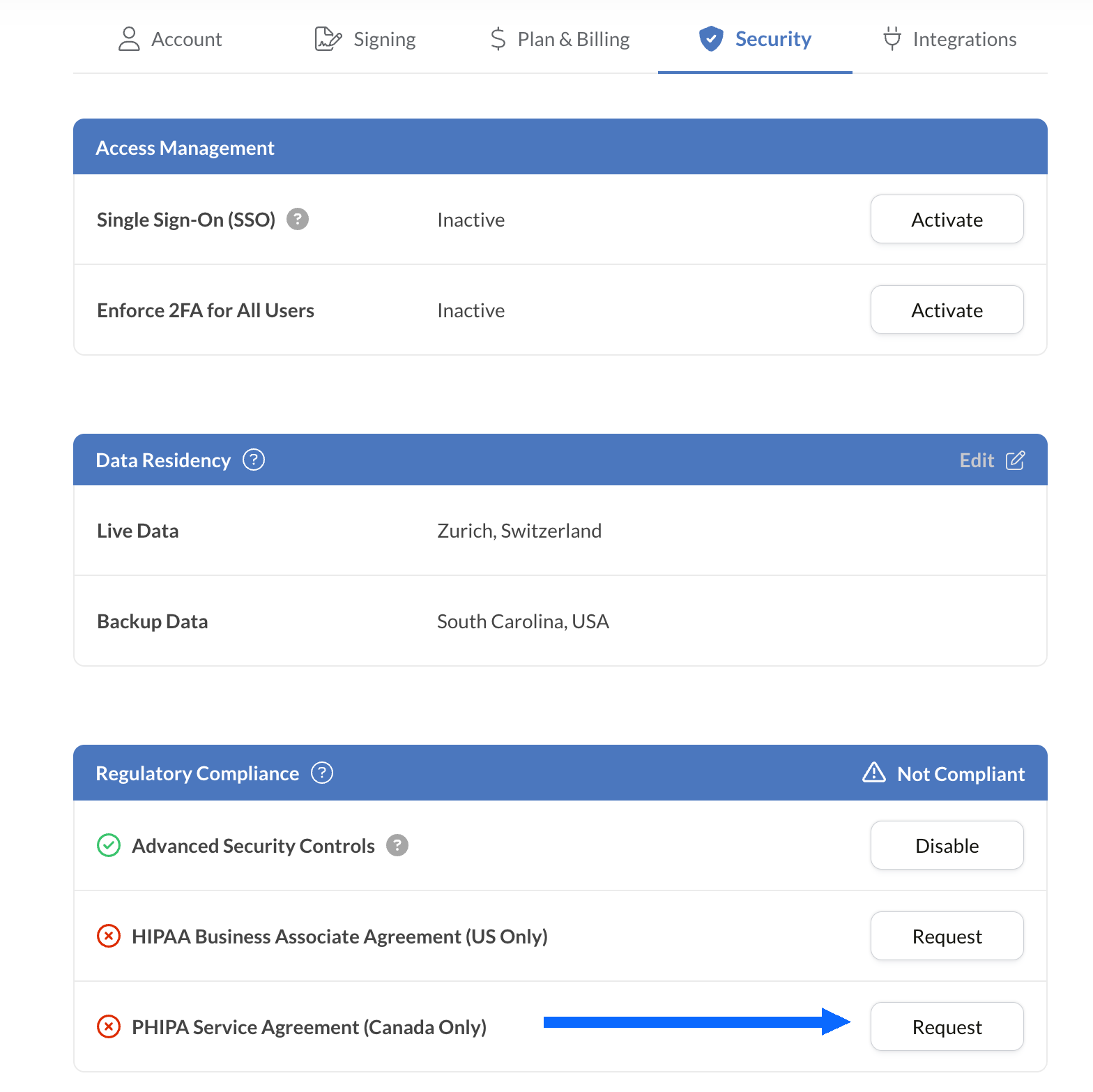
Richiedi il PHIPA Agent Agreement
Il pannello Regulatory Compliance elenca tutte le opzioni di conformità sanitaria disponibili per il tuo account, inclusa la PHIPA.
Seleziona Request accanto a PHIPA Agent Agreement (Canada Only).
Compila e invia l'accordo per la convalida. Una volta convalidato, lo stato PHIPA viene mostrato nel pannello Regulatory Compliance.
Integra le firme elettroniche nei tuoi strumenti esistenti
Sign.Plus offre inoltre un'API solida progettata specificamente per il settore sanitario. Integra funzionalità di firma elettronica sicura nelle tue applicazioni sanitarie esistenti, semplificando i flussi di lavoro e migliorando la conformità con il minimo sforzo.


Casi d'uso della firma elettronica PHIPA per la sanità in Ontario

Gestione del consenso del paziente
Consensi e autorizzazioni per la telemedicina
Richieste di rimborso e autorizzazioni assicurative
Autorizzazioni per trattamenti e prescrizioni
Politiche del personale e attestazioni di formazione
Consenso per procedure mediche
Domande frequenti sulla firma elettronica PHIPA
Che cos'è la PHIPA?

La PHIPA, il Personal Health Information Protection Act, è la legge dell'Ontario sulla privacy dei dati sanitari che disciplina come le informazioni sanitarie personali vengono raccolte, utilizzate, divulgate e protette.
Sign.Plus è conforme alla PHIPA?
Sì, Sign.Plus supporta flussi di lavoro allineati alla PHIPA per le organizzazioni Enterprise idonee che abilitano Advanced Security Controls e firmano un PHIPA Agent Agreement.
Come si attiva la conformità PHIPA in Sign.Plus?
Scegli un piano Enterprise, attiva Advanced Security Controls, richiedi e firma il PHIPA Agent Agreement dalle impostazioni Regulatory Compliance e completa il processo di convalida dell'accordo. Una volta convalidato, lo stato PHIPA viene riportato nel tuo account.
Serve un BAA per la PHIPA?
No. Il Business Associate Agreement (BAA) si utilizza per HIPAA. Per la PHIPA, i clienti idonei firmano invece un PHIPA Agent Agreement, che riflette il ruolo di Sign.Plus come agente ai sensi della sezione 17 della PHIPA.
Sign.Plus offre la residenza dei dati in Canada?
Sì. I clienti Enterprise idonei possono selezionare per Sign.Plus una sede canadese per la residenza dei dati, inclusa Toronto. In genere la PHIPA non richiede che le informazioni sanitarie personali rimangano in Ontario, quindi le organizzazioni dovrebbero scegliere le impostazioni di residenza in base alle proprie esigenze.
Modernizza la documentazione sanitaria dell'Ontario con firme elettroniche sicure conformi alla PHIPA
Enterprise
Soluzione su misura
Inizia a usare oggi le firme elettroniche conformi alla PHIPA
Crea un account Enterprise, attiva Advanced Security Controls, richiedi e firma il tuo PHIPA Agent Agreement e inizia a gestire in sicurezza i flussi di firma in ambito sanitario.




Confédération Suisse
Confederazione Svizzera
Confederaziun Svizra
Confederazione Svizzera
Innosuisse - Agenzia svizzera per l'innovazione



